Skip to content
588gam Sports / Mobile
LIVE LOBBY

588gam — Fund Your Account, Get Into the Lobby

Slots from PG Soft and Microgaming, live tables, crash games, and PSL cricket betting — all in one account you fund with Easypaisa, Raast or Bank Transfer. Access depends on local law and eligible regions in Pakistan.

JazzCash Easypaisa Raast
Browse games
CONTENT / 01

A Look at the 588gam Lobby Categories

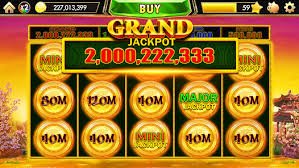
Open the lobby and you will see four categories laid out clearly: slots, live casino, crash games, and sports. The slots section holds reel titles from every studio we carry — PG Soft and JDB contribute the most volume there. The live casino section runs table formats including Roulette LuckyWheel and Roulette BlazeSpin, where real dealers run rounds you follow on screen. Crash games like Crash Energy give you a different pace — a multiplier climbs and you decide when to step out.

  • Slots

    Reel titles from PG Soft, JDB, PlayStar and Microgaming. Browse by studio or category inside the slots tab.

  • Live Casino

    Dealer-led table rounds including Roulette LuckyWheel and Roulette BlazeSpin. Available where your account region permits.

  • Crash Games

    Titles like Crash Energy where a multiplier runs until you cash out. Short rounds, visible outcome on screen.

  • Sports Betting

    Cricket markets including PSL and international fixtures alongside Football BlitzBet and other sports. Odds shown in the sportsbook at time of bet.

GAME NETWORK
PG Soft
PlayStar
JDB
Microgaming
CONTENT / 04

588gam lobby studios

The 588gam lobby carries content from PG Soft, PlayStar, JDB, Microgaming. To check the studio, rules or features of one specific game, open that game card or the published information panel.

  • PG Soft

  • PlayStar

  • JDB

  • Microgaming

DISCOVER / 01

Choose your game

Full lobby
ACCOUNT STANDARDS

How 588gam Keeps Your Account Reliable

Running a consistent account experience in Pakistan means being clear about what the platform does and does not promise. We do not invent payout speeds, licence claims or player counts. The information in your account dashboard — transaction history, balance, active payment routes — reflects what the system has actually recorded. RTP figures are shown only where the game provider makes them visible inside the title itself; we do not publish made-up percentages.

  • Transparent Transaction Records

    Every deposit and withdrawal you make is logged in your account dashboard. The record shows the route used — Easypaisa, Raast or Bank Transfer — and the confirmed status. Check it after any transaction to verify the outcome yourself.

  • RTP Shown Where Verified

    We do not publish fabricated return-to-player percentages. Where a studio — PG Soft, JDB, Microgaming or PlayStar — exposes RTP data inside the game, that figure is shown there. Where it is not exposed, we do not guess.

  • Region-Honest Access

    Game availability and payment route support depend on local law and eligible regions in Pakistan. Your account shows exactly what is active for you. We do not promise access we cannot deliver for your region.

  • Direct Account Support

    The Easy Support Center is a named help channel for account-level issues. Use it when a transaction, balance or access question needs a real response — not a scripted redirect.

TRUST / 03

Where to Get Account and Payment Help

Account questions in Pakistan do not have to wait. The Easy Support Center handles deposit queries, payment verification issues and wallet-linking help for Easypaisa, Raast and Bank Transfer accounts. If you are mid-session and a transaction has not cleared in your wallet, the support channel is the right place to raise it — not a general FAQ page.

  • Easy Support Center

    The direct channel for account-level help in Pakistan. Raise a ticket for payment issues — Easypaisa, Raast or Bank Transfer — balance discrepancies, or wallet verification. Accessible from your account dashboard after login.

  • Payment Route Help

    If a deposit via Easypaisa, Raast or Bank Transfer has not reflected in your account balance, contact the Easy Support Center with your transaction reference. Do not re-submit the deposit before checking with support.

  • Account Dashboard Queries

    For balance questions, transaction history, or account status checks, the dashboard is the first place to look. If the information shown does not match what you expect, raise it through the Easy Support Center directly.

Learn more →
FEATURED TITLES

Cricket Betting, Crash Energy and Roulette LuckyWheel

Three categories stand out in the 588gam lobby for the kind of sessions Pakistan players return to most. Cricket betting — through markets listed in the sports section — covers PSL fixtures and international matches when they are live in the schedule. You see available markets at the time you open the sportsbook; odds are shown per match and update in real time. Crash Energy is the crash game category that runs on a climbing multiplier.

  • Cricket Betting

    PSL and international cricket markets are listed in the sportsbook section when fixtures are scheduled. Odds are shown at the time of your bet. No fabricated prices — what you see is the live market rate for your region.

  • Crash Energy

    A crash-format game where a multiplier climbs from the start of each round. You decide when to exit; the payout reflects the multiplier at that point. Rounds are short and independent of each other.

  • Roulette LuckyWheel

    A live dealer roulette title with a wheel mechanic running alongside standard number betting. Available in the live casino section when the table is open. Stream quality and availability depend on your connection and region.

LOCAL PAYMENTS

Easypaisa, Raast and Bank Transfer — Your Deposit Path

Funding your 588gam account works through three configured local routes: Easypaisa, Raast and Bank Transfer. Easypaisa is the mobile wallet route — if you already use it for everyday transfers, linking it to your account takes the same steps you already know. Raast is the interbank instant payment system; it routes funds account-to-account through your bank's app or portal without a third-party wallet in between. Bank Transfer is the direct route for those who prefer to work from their bank account without using a mobile wallet at all.

  • Easypaisa

    Link your Easypaisa mobile wallet from the payment section of your account. The deposit flow uses the same confirmation step as a standard Easypaisa transfer. Available where your account region supports it.

  • Raast

    Raast routes funds directly between bank accounts using the national instant payment system. Initiate from your bank's app or internet banking portal. No third-party wallet required; the transaction reference appears in your account history.

  • Bank Transfer

    Transfer directly from your bank account to your 588gam wallet. Use the account details shown in the payment section. Reference your account ID in the transfer description so the deposit is matched to your record correctly.

  • JazzCash

    JazzCash deposits are available where configured for your account and region. Check the payment section after login to see whether the JazzCash route is active for you before initiating a transfer.

JazzCash Pakistan payment context
Easypaisa Pakistan payment context
Raast Pakistan payment context
GET STARTED

From Account Creation to First Deposit — the Steps

Opening a 588gam account in Pakistan follows a clear sequence, and the payment section is the step most people want to reach quickly. First: go to the account creation page and fill in the fields shown — name, mobile number, and the password you set. Second: once your account is created, log in and navigate to the payment section from the main menu. Third: select the deposit route that matches what you use — Easypaisa, Raast, JazzCash or Bank Transfer. The fields and limits shown on that screen are the actual configured values for your account and region; follow them exactly.

  1. Step 1

    Open the account creation page. Fill in the required fields — name, mobile number, password. No documents are required at this stage unless account verification is prompted later.

  2. Step 2

    Log in and go to the payment section from the main menu. You will see which deposit routes are active for your account: Easypaisa, Raast, JazzCash or Bank Transfer.

  3. Step 3

    Select your preferred route and follow the instructions and field prompts shown on that screen. Limits and verification steps are displayed there — follow the values shown, not assumed figures.

  4. Step 4

    Complete the transfer from your wallet or bank. Use the reference or account detail displayed in the payment section. Your balance updates once the deposit is confirmed.

MEMBER DESK / 06

Offers, support and account controls

01

Game lobby

02

Support

MOBILE ACCESS

The 588gam Lobby Fits a Phone Screen

The slot rail, live tables and the Easypaisa deposit flow all scale to a phone screen without layout changes that cut off game controls or payment fields. Roulette BlazeSpin and Crash Energy are the two titles that hold up best in portrait orientation — the table layout and the multiplier display both stay visible without scrolling. Football BlitzBet in the sports section also runs cleanly on mobile, with match markets listed in a scroll-friendly column rather than a compressed grid.

  • Mobile-Ready Games

    Crash Energy and Roulette BlazeSpin are optimised for portrait screens. Controls and payout displays stay visible without horizontal scrolling. PG Soft and JDB titles generally handle mobile layout well across their catalogues.

  • Payment on Phone

    The Easypaisa, Raast and JazzCash deposit fields are sized for mobile input. The payment section on your phone screen shows the same routes and limits as the desktop version of your account.

  • Dashboard Access

    Balance, transaction history and account settings are accessible from the dashboard icon on the mobile screen. No separate login is needed if you are already in an active session.

CONTENT / 03

The 588gam Lobby Fits a Phone Screen

The slot rail, live tables and the Easypaisa deposit flow all scale to a phone screen without layout changes that cut off game controls or payment fields. Roulette BlazeSpin and Crash Energy are the two titles that hold up best in portrait orientation — the table layout and the multiplier display both stay visible without scrolling. Football BlitzBet in the sports section also runs cleanly on mobile, with match markets listed in a scroll-friendly column rather than a compressed grid.

  • Mobile-Ready Games

    Crash Energy and Roulette BlazeSpin are optimised for portrait screens. Controls and payout displays stay visible without horizontal scrolling. PG Soft and JDB titles generally handle mobile layout well across their catalogues.

  • Payment on Phone

    The Easypaisa, Raast and JazzCash deposit fields are sized for mobile input. The payment section on your phone screen shows the same routes and limits as the desktop version of your account.

  • Dashboard Access

    Balance, transaction history and account settings are accessible from the dashboard icon on the mobile screen. No separate login is needed if you are already in an active session.

ACCOUNT OFFERS

Where to Check Account Offers on 588gam

information on your 588gam account are shown in the account dashboard after login — not listed on this page, because what is available depends on your account status, region and the current state of the offer board. The offer board has no fixed schedule we publish here; what is running at any given time is visible inside your account. This is not a vague redirect — it is the accurate path. Offers tied to payment routes, for example a deposit-matched gameplay, are shown at the point of deposit when they are active.

  • Deposit-Linked gameplay

    If a gameplay is attached to your next deposit — via Easypaisa, Raast or Bank Transfer — it appears during the deposit flow when the offer is active. The amount and terms are shown at that point, not estimated here.

  • Dashboard Offer Panel

    The current state of any information on your account is shown in the dashboard after login. This is the authoritative source — not a marketing page. Check there for what applies to your account right now.

  • Support for Offer Queries

    If an offer you expect to see is not appearing in your account dashboard, raise it through the Easy Support Center. Include your account reference and the offer detail you are asking about for a direct response.

Login
PLAYER INDEX / 07

Game and Account Terms You Will See on 588gam

Some terms appear across the lobby, payment section and account dashboard that have specific meanings in context. This section explains the ones that come up most often for Pakistan accounts — particularly around game mechanics, payment routes, and account wallet behaviour. These are definitions, not promises. A term defined here describes how a feature works, not what it will return or when.

Player guide and glossary
  • What does 'account wallet' mean on 588gam?

    Your account wallet is the balance held inside your 588gam account. When you deposit via Easypaisa, Raast or Bank Transfer, the confirmed amount is added to this wallet. When you place a bet or enter a game round, the stake is deducted from it. When a round pays out, the amount won is added straight back to your wallet. It is not a separate bank account — it is an in-platform balance record visible in your dashboard.

  • What is a bonus round in a slot game?

    A bonus round is a game mechanic built into a slot title by the studio — PG Soft, JDB, Microgaming or PlayStar. It is triggered by specific reel combinations defined in the game rules, not by the platform. During a bonus round, the game may award additional spin features, multiplier symbols, or prize-value mechanics depending on how the studio designed that title. The mechanic is described in the game's own paytable or rules screen.

  • What does RTP mean, and where is it shown?

    RTP stands for return-to-player — a percentage published by the game studio that describes the theoretical long-run payout rate of a title. On 588gam, RTP is shown only where the provider — PG Soft, Microgaming, JDB or PlayStar — makes it visible inside the game itself, usually in the paytable or game information panel. We do not publish invented RTP figures on this page or anywhere on the platform.

  • What is Raast and how does it work for deposits?

    Raast is Pakistan's national instant payment system, operated through the State Bank of Pakistan. It lets you transfer funds directly from your bank account to another account — including your 588gam wallet — without using a third-party mobile wallet. You initiate a Raast transfer from your own bank's app or internet banking portal using the account details shown in your 588gam payment section. The transaction reference appears in your account history once confirmed.

  • What is a crash game?

    A crash game is a round-based game format where a multiplier starts at 1x and climbs continuously from the moment the round begins. You enter the round with a stake and decide when to exit. The amount you receive reflects the multiplier at the point you stepped out. The round ends — crashes — at a point determined by the game's outcome. Crash Energy is the crash-format title available in the 588gam lobby.

  • What is the difference between Easypaisa and JazzCash for deposits?

    Both are mobile wallet services used widely in Pakistan for everyday payments and transfers. On 588gam, both are configured as deposit routes where available for your account region. Easypaisa is operated by Telenor; JazzCash is operated by Jazz. The deposit flow for each follows the same pattern: select the route in the payment section, follow the fields shown, and confirm from your wallet app. Check your account payment section to see which routes are active for you.

  • What does 'eligible regions' mean when the platform mentions local law?

    When 588gam says access depends on local law and eligible regions, it means that not every account feature or game category is available to every user in every location within Pakistan. Legal and regulatory conditions affect what can be offered to a specific account. The payment section and game lobby in your account show what is actually active for your region — that is the reliable source, not a general promise made on the home page.

LOBBY / 02

One mobile lobby, distinct game areas

Roulette LuckyWheel Live Roulette LuckyWheel Access → Easy Support Center Slots Easy Support Center Access → Football Oddszone Sports Football Oddszone Access → Crash Energy Slots Crash Energy Access → Football BlitzBet Sports Football BlitzBet Access → Roulette BlazeSpin Live Roulette BlazeSpin Access →
EXPLORE FURTHER / 04

Explore detailed guides

Local lobby check

QUICK ANSWERS

Frequently asked questions

These are the questions Pakistan accounts ask most often about getting started, funding a wallet, and finding games. Each answer describes the actual path on 588gam rather than a generic industry answer. If your question is not covered here, the Easy Support Center handles account-specific queries directly.

Read FAQ →
How do I deposit using Easypaisa on 588gam?

Log in to your account and go to the payment section from the main menu. Select Easypaisa as your deposit route. The screen will show the fields and limits that apply to your account — follow those exactly. Complete the transfer from your Easypaisa app using the details displayed. Once the deposit is confirmed on our side, the amount appears in your account wallet. If it does not reflect after confirmation, contact the Easy Support Center with your transaction reference.

Can I use Raast to fund my account?

Yes, where Raast is configured for your account region. Open the payment section after login and check whether the Raast route appears in your deposit options. If it does, follow the account details shown to initiate the transfer from your bank's app or internet banking portal. Include your account reference in the transfer description so the deposit is matched to your record. The transaction shows up in your payment history once confirmed.

What games are available from PG Soft and JDB on 588gam?

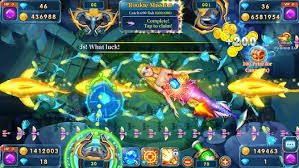
PG Soft and JDB both supply slot and arcade-format titles to the 588gam lobby. The specific titles active for your account are shown in the game lobby after login — the catalogue display reflects what is available in your region. JDB titles include crash-style and slot formats; PG Soft is known for mobile-polished reel mechanics. Browse the lobby directly to see current titles rather than relying on a static list here, as availability can vary by account region.

Where do I find cricket betting markets on 588gam?

Cricket betting — including PSL fixtures and international matches when scheduled — is in the sports section of the lobby. Open the sports tab from the main menu and look for available cricket markets. Odds are shown per fixture at the time you open the market; they update in real time and reflect what is live in the sportsbook at that moment. We do not fabricate odds, match results or fixture availability — what you see is the live state of the market for your region.

What do I do if my deposit is not showing in my account balance?

First, check your payment history in the account dashboard to see whether the transaction has a confirmed status. If the transfer was completed from your Easypaisa, Raast, JazzCash or Bank Transfer account but your 588gam balance has not updated, contact the Easy Support Center. Provide your account ID and the transaction reference from your wallet or bank. Do not re-submit the deposit before speaking to support, as duplicate transfers require a separate process to resolve.

Does 588gam work on a mobile phone without downloading an app?

Yes. Open 588gam through your mobile browser — Chrome on Android or Safari on iOS both work without a separate installation. The lobby, payment section, and account dashboard are all accessible from the browser version. Roulette BlazeSpin, Crash Energy and the Easypaisa deposit flow are designed to work in portrait orientation on a phone screen. Your session carries over if you switch between phone and desktop without logging out first.

How do I check what offers are active on my account?

Log in to your account and open the dashboard. Any offer currently active for your account is shown there — the dashboard is the correct place to check, not a static page like this one. If a deposit-linked gameplay is available for your next transaction, it will appear during the deposit flow itself when you select Easypaisa, Raast or Bank Transfer. For any offer you expected but cannot find in your dashboard, contact the Easy Support Center with your account details.

Is Bank Transfer available as a deposit option on 588gam?

Bank Transfer is configured as a deposit route for 588gam accounts where the option is available in your region. After logging in, open the payment section and check whether Bank Transfer appears in your deposit options. If it does, use the account details shown on that screen to initiate the transfer from your bank. Include your 588gam account ID as the payment reference. Availability and limits are shown in the payment section at the time of deposit — not pre-published here as fixed figures.

READY WHEN YOU ARE

588gam game lobby

Access may be available only where local law permits.

Register Login